#1702 × Failed to build samplerate==0.2.1 ├─▶ The build backend returned an error ╰─▶ Call to setuptools.build_meta.build_wh

46.232* Posted at: 7 days ago 👁87

× Failed to build samplerate==0.2.1
├─▶ The build backend returned an error
╰─▶ Call to setuptools.build_meta.build_wheel failed (exit status: 1)

  [stdout]
  running bdist_wheel
  running build
  running build_ext

  [stderr]
  /Users/wsy/.cache/uv/builds-v0/.tmpQCt3HA/lib/python3.10/site-packages/setuptools/config/_apply_pyprojecttoml.py:82:
  SetuptoolsDeprecationWarning: `project.license` as a TOML table is
  deprecated
  !!

  
  ********************************************************************************
          Please use a simple string containing a SPDX expression for
  `project.license`. You can also use `project.license-files`. (Both
  options available on setuptools>=77.0.0).

          By 2026-Feb-18, you need to update your project and remove
  deprecated calls
          or your builds will no longer be supported.

          See
  https://packaging.python.org/en/latest/guides/writing-pyproject-toml/#license
  for details.
  
  ********************************************************************************

  !!
    corresp(dist, value, root_dir)
  /Users/wsy/.cache/uv/builds-v0/.tmpQCt3HA/lib/python3.10/site-packages/setuptools/config/_apply_pyprojecttoml.py:61:
  SetuptoolsDeprecationWarning: License classifiers are deprecated.
  !!

  
  ********************************************************************************
          Please consider removing the following classifiers in favor of a
  SPDX license expression:

          License :: OSI Approved :: MIT License

          See
  https://packaging.python.org/en/latest/guides/writing-pyproject-toml/#license
  for details.
  
  ********************************************************************************

  !!
    dist._finalize_license_expression()
  /Users/wsy/.cache/uv/builds-v0/.tmpQCt3HA/lib/python3.10/site-packages/setuptools/dist.py:759:
  SetuptoolsDeprecationWarning: License classifiers are deprecated.
  !!

  
  ********************************************************************************
          Please consider removing the following classifiers in favor of a
  SPDX license expression:

          License :: OSI Approved :: MIT License

          See
  https://packaging.python.org/en/latest/guides/writing-pyproject-toml/#license
  for details.
  
  ********************************************************************************

  !!
    self._finalize_license_expression()
  error: [Errno 2] No such file or directory: 'cmake'

  hint: This usually indicates a problem with the package or the build
  environment.

help: samplerate (v0.2.1) was included because pyvideotrans (v3.86)

    depends on `samplerate`

Mac m2芯片,这怎么解决
14 Replies

这是 macOS 系统上编译 samplerate 库时缺少 cmake 构建工具导致的错误。请按以下步骤解决:

  1. 安装 Homebrew(如果尚未安装)
    打开终端,粘贴以下命令并回车:

    /bin/bash -c "$(curl -fsSL https://raw.githubusercontent.com/Homebrew/install/HEAD/install.sh)"

    按照提示完成安装。

  2. 通过 Homebrew 安装 cmake
    在终端中运行:

    brew install cmake
  3. 重新尝试安装 pyVideoTrans 依赖
    确保在 pyvideotrans 项目目录下,然后再次运行:

    uv sync

cmake 是编译某些 Python 库(如 samplerate)所必需的系统工具。安装后即可正常构建依赖。

已经安装cmake了

即使安装了 cmake,构建 samplerate 库时仍可能失败,这通常是 macOS 系统环境或编译器问题。请按以下步骤操作:

  1. 安装完整的 Xcode 命令行工具
    在终端中运行:

    xcode-select --install

    如果已安装,尝试重置:

    sudo xcode-select --reset
  2. 尝试直接通过 Homebrew 安装 samplerate 库
    在终端中运行:

    brew install libsamplerate

    然后重新运行 uv sync

  3. 如果问题依旧,尝试使用 conda 环境
    对于 macOS 上的复杂依赖,conda 通常能更好地处理:

    # 安装 miniconda (如果未安装)
    # 然后创建环境
    conda create -n videotrans python=3.10
    conda activate videotrans
    conda install -c conda-forge cmake libsamplerate
    pip install -r requirements.txt
  4. 作为最后手段,跳过 samplerate 依赖
    编辑 pyproject.tomlrequirements.txt 文件,找到并删除 samplerate 依赖项,然后重新运行 uv sync。但请注意,这可能导致某些音频处理功能不可用。

如果以上步骤均无效,请提供运行 uv sync 后的完整错误日志。

                                                   × Failed to build `samplerate==0.2.1`

├─▶ The build backend returned an error
╰─▶ Call to setuptools.build_meta.build_wheel failed (exit status: 1)

  [stdout]
  running bdist_wheel
  running build
  running build_ext
  -- Found Python prefix
  -- The C compiler identification is AppleClang 16.0.0.16000026
  -- The CXX compiler identification is AppleClang 16.0.0.16000026
  -- Detecting C compiler ABI info
  -- Detecting C compiler ABI info - done
  -- Check for working C compiler: /usr/bin/cc - skipped
  -- Detecting C compile features
  -- Detecting C compile features - done
  -- Detecting CXX compiler ABI info
  -- Detecting CXX compiler ABI info - done
  -- Check for working CXX compiler: /usr/bin/c++ - skipped
  -- Detecting CXX compile features
  -- Detecting CXX compile features - done
  -- Configuring incomplete, errors occurred!

  [stderr]
  /Users/wsy/.cache/uv/builds-v0/.tmpw5mbwr/lib/python3.10/site-packages/setuptools/config/_apply_pyprojecttoml.py:82:
  SetuptoolsDeprecationWarning: `project.license` as a TOML table is
  deprecated
  !!

  
  ********************************************************************************
          Please use a simple string containing a SPDX expression for
  `project.license`. You can also use `project.license-files`. (Both
  options available on setuptools>=77.0.0).

          By 2026-Feb-18, you need to update your project and remove
  deprecated calls
          or your builds will no longer be supported.

          See
  https://packaging.python.org/en/latest/guides/writing-pyproject-toml/#license
  for details.
  
  ********************************************************************************

  !!
    corresp(dist, value, root_dir)
  /Users/wsy/.cache/uv/builds-v0/.tmpw5mbwr/lib/python3.10/site-packages/setuptools/config/_apply_pyprojecttoml.py:61:
  SetuptoolsDeprecationWarning: License classifiers are deprecated.
  !!

  
  ********************************************************************************
          Please consider removing the following classifiers in favor of a
  SPDX license expression:

          License :: OSI Approved :: MIT License

          See
  https://packaging.python.org/en/latest/guides/writing-pyproject-toml/#license
  for details.
  
  ********************************************************************************

  !!
    dist._finalize_license_expression()
  /Users/wsy/.cache/uv/builds-v0/.tmpw5mbwr/lib/python3.10/site-packages/setuptools/dist.py:759:
  SetuptoolsDeprecationWarning: License classifiers are deprecated.
  !!

  
  ********************************************************************************
          Please consider removing the following classifiers in favor of a
  SPDX license expression:

          License :: OSI Approved :: MIT License

          See
  https://packaging.python.org/en/latest/guides/writing-pyproject-toml/#license
  for details.
  
  ********************************************************************************

  !!
    self._finalize_license_expression()
  [ 11%] Creating directories for 'pybind11-populate'
  [ 22%] Performing download step (git clone) for 'pybind11-populate'
  正克隆到 'pybind11-src'...
  错误:RPC 失败。curl 28 Failed to connect to github.com port 443 after
  75001 ms: Couldn't connect to server
  致命错误:在引用列表之后应该有一个 flush 包
  正克隆到 'pybind11-src'...
  致命错误:无法访问 'https://github.com/pybind/pybind11/':Failed to
  connect to github.com port 443 after 75365 ms: Couldn't connect to
  server
  正克隆到 'pybind11-src'...
  致命错误:无法访问 'https://github.com/pybind/pybind11/':Failed to
  connect to github.com port 443 after 75004 ms: Couldn't connect to
  server
  Had to git clone more than once: 3 times.
  CMake Error at

这是啥问题

这是网络连接问题导致无法从 GitHub 下载 pybind11 依赖库。samplerate 在构建时需要下载 pybind11,但你的网络无法连接到 GitHub。请按以下步骤解决:设置 Git 代理(如果你使用代理):在终端中运行:git config --global http.proxy http://127.0.0.1:你的代理端口
git config --global https.proxy http://127.0.0.1:你的代理端口如果不需要代理,请清除代理设置:git config --global --unset http.proxy
git config --global --unset https.proxy尝试直接下载 pybind11 并手动安装:在终端中运行:pip install pybind11然后重新运行 uv sync。如果问题依旧,尝试使用国内镜像源安装 samplerate:临时设置 pip 镜像源:pip install samplerate==0.2.1 -i https://pypi.tuna.tsinghua.edu.cn/simple如果成功,再运行 uv sync。作为最后手段,手动安装 samplerate 的替代方案:由于 samplerate 主要用于音频重采样,你可以尝试安装其替代库:pip install scipy然后编辑 pyvideotrans 的依赖文件,将 samplerate 替换为 scipy 或直接删除 samplerate 依赖。检查网络连接:确保能正常访问 https://github.com/pybind/pybind11/。如果以上方法均无效,可能是网络环境限制,建议更换网络环境(如使用手机热点)后重试。

× Failed to build samplerate==0.2.1
├─▶ The build backend returned an error
╰─▶ Call to setuptools.build_meta.build_wheel failed (exit status: 1)

  [stdout]
  running bdist_wheel
  running build
  running build_ext
  -- Found Python prefix
  -- Configuring incomplete, errors occurred!

  [stderr]
  /Users/wsy/.cache/uv/builds-v0/.tmpPHGhiI/lib/python3.10/site-packages/setuptools/config/_apply_pyprojecttoml.py:82:
  SetuptoolsDeprecationWarning: `project.license` as a TOML table is
  deprecated
  !!

  
  ********************************************************************************
          Please use a simple string containing a SPDX expression for
  `project.license`. You can also use `project.license-files`. (Both
  options available on setuptools>=77.0.0).

          By 2026-Feb-18, you need to update your project and remove
  deprecated calls
          or your builds w

......

   self.distribution.run_command(command)
    File
  "/Users/wsy/.cache/uv/builds-v0/.tmpPHGhiI/lib/python3.10/site-packages/setuptools/dist.py",
  line 1102, in run_command
      super().run_command(command)
    File
  "/Users/wsy/.cache/uv/builds-v0/.tmpPHGhiI/lib/python3.10/site-packages/setuptools/_distutils/dist.py",
  line 1021, in run_command
      cmd_obj.run()
    File
  "/Users/wsy/.cache/uv/builds-v0/.tmpPHGhiI/lib/python3.10/site-packages/setuptools/_distutils/command/build.py",
  line 135, in run
      self.run_command(cmd_name)
    File
  "/Users/wsy/.cache/uv/builds-v0/.tmpPHGhiI/lib/python3.10/site-packages/setuptools/_distutils/cmd.py",
  line 357, in run_command
      self.distribution.run_command(command)
    File
  "/Users/wsy/.cache/uv/builds-v0/.tmpPHGhiI/lib/python3.10/site-packages/setuptools/dist.py",
  line 1102, in run_command
      super().run_command(command)
    File
  "/Users/wsy/.cache/uv/builds-v0/.tmpPHGhiI/lib/python3.10/site-packages/setuptools/_distutils/dist.py",
  line 1021, in run_command
      cmd_obj.run()
    File
  "/Users/wsy/.cache/uv/builds-v0/.tmpPHGhiI/lib/python3.10/site-packages/setuptools/command/build_ext.py",
  line 96, in run
      _build_ext.run(self)
    File
  "/Users/wsy/.cache/uv/builds-v0/.tmpPHGhiI/lib/python3.10/site-packages/setuptools/_distutils/command/build_ext.py",
  line 368, in run
      self.build_extensions()
    File
  "/Users/wsy/.cache/uv/builds-v0/.tmpPHGhiI/lib/python3.10/site-packages/setuptools/_distutils/command/build_ext.py",
  line 484, in build_extensions
      self._build_extensions_serial()
    File
  "/Users/wsy/.cache/uv/builds-v0/.tmpPHGhiI/lib/python3.10/site-packages/setuptools/_distutils/command/build_ext.py",
  line 510, in _build_extensions_serial
      self.build_extension(ext)
    File "", line 121, in build_extension
    File
  "/Library/Frameworks/Python.framework/Versions/3.10/lib/python3.10/subprocess.py",
  line 526, in run
      raise CalledProcessError(retcode, process.args,
  subprocess.CalledProcessError: Command '['cmake',
  '/Users/wsy/.cache/uv/sdists-v9/pypi/samplerate/0.2.1/FWBkslzeQTI6HcyoRBHHv/src',
  '-DCMAKE_LIBRARY_OUTPUT_DIRECTORY=/Users/wsy/.cache/uv/sdists-v9/pypi/samplerate/0.2.1/FWBkslzeQTI6HcyoRBHHv/src/build/lib.macosx-10.9-universal2-cpython-310/',
  '-DPYTHON_EXECUTABLE=/Users/wsy/.cache/uv/builds-v0/.tmpPHGhiI/bin/python',
  '-DCMAKE_BUILD_TYPE=Release', '-DPACKAGE_VERSION_INFO=0.2.1',
  '-DCMAKE_OSX_ARCHITECTURES=arm64;x86_64']' returned non-zero exit status
  1.

  hint: This usually indicates a problem with the package or the build
  environment.

help: samplerate (v0.2.1) was included because pyvideotrans (v3.86)

    depends on `samplerate`

这是 samplerate 库在 macOS 上编译时的架构兼容性问题。错误显示 CMake 配置失败,可能是由于 Python 环境架构与 CMake 不匹配。请按以下步骤解决:

  1. 检查 Python 架构
    在终端中运行:

    python3 -c "import platform; print(platform.machine())"

    如果输出是 arm64(M2芯片),但 CMake 尝试编译 arm64;x86_64 双架构,可能导致冲突。

  2. 设置单一架构环境变量
    在运行 uv sync 前,先设置环境变量:

    export ARCHFLAGS="-arch arm64"
    export CMAKE_OSX_ARCHITECTURES="arm64"

    然后重新运行 uv sync

  3. 如果上述方法无效,尝试通过 conda 安装 samplerate

    # 创建并激活 conda 环境
    conda create -n videotrans python=3.10
    conda activate videotrans
    conda install -c conda-forge samplerate
    # 然后安装其他依赖
    pip install -r requirements.txt
  4. 作为临时解决方案,跳过 samplerate 依赖
    编辑 pyproject.tomlrequirements.txt 文件,找到并删除 samplerate 依赖项,然后重新运行 uv sync。但请注意,这可能导致某些音频处理功能不可用。
  5. 如果必须使用 samplerate,尝试从源码安装

    # 先卸载已安装的
    pip uninstall samplerate -y
    # 从源码安装
    pip install git+https://github.com/tuxu/samplerate.git

如果问题依旧,请提供运行 python3 -c "import platform; print(platform.machine(), platform.platform())" 的输出结果。

× Failed to build samplerate==0.2.1
├─▶ The build backend returned an error
╰─▶ Call to setuptools.build_meta.build_wheel failed (exit status: 1)

  [stdout]
  running bdist_wheel
  running build
  running build_ext
  -- Found Python prefix
  -- Configuring incomplete, errors occurred!

  [stderr]
  /Users/wsy/.cache/uv/builds-v0/.tmplZHhTK/lib/python3.10/site-packages/setuptools/config/_apply_pyprojecttoml.py:82:
  SetuptoolsDeprecationWarning: `project.license` as a TOML table is
  deprecated
  !!

  
  ********************************************************************************
          Please use a simple string containing a SPDX expression for
  `project.license`. You can also use `project.license-files`. (Both
  options available on setuptools>=77.0.0).

          By 2026-Feb-18, you need to update your project and remove
  deprecated calls
          or your builds 

......
.distribution.run_command(command)

    File
  "/Users/wsy/.cache/uv/builds-v0/.tmplZHhTK/lib/python3.10/site-packages/setuptools/dist.py",
  line 1102, in run_command
      super().run_command(command)
    File
  "/Users/wsy/.cache/uv/builds-v0/.tmplZHhTK/lib/python3.10/site-packages/setuptools/_distutils/dist.py",
  line 1021, in run_command
      cmd_obj.run()
    File
  "/Users/wsy/.cache/uv/builds-v0/.tmplZHhTK/lib/python3.10/site-packages/setuptools/_distutils/command/build.py",
  line 135, in run
      self.run_command(cmd_name)
    File
  "/Users/wsy/.cache/uv/builds-v0/.tmplZHhTK/lib/python3.10/site-packages/setuptools/_distutils/cmd.py",
  line 357, in run_command
      self.distribution.run_command(command)
    File
  "/Users/wsy/.cache/uv/builds-v0/.tmplZHhTK/lib/python3.10/site-packages/setuptools/dist.py",
  line 1102, in run_command
      super().run_command(command)
    File
  "/Users/wsy/.cache/uv/builds-v0/.tmplZHhTK/lib/python3.10/site-packages/setuptools/_distutils/dist.py",
  line 1021, in run_command
      cmd_obj.run()
    File
  "/Users/wsy/.cache/uv/builds-v0/.tmplZHhTK/lib/python3.10/site-packages/setuptools/command/build_ext.py",
  line 96, in run
      _build_ext.run(self)
    File
  "/Users/wsy/.cache/uv/builds-v0/.tmplZHhTK/lib/python3.10/site-packages/setuptools/_distutils/command/build_ext.py",
  line 368, in run
      self.build_extensions()
    File
  "/Users/wsy/.cache/uv/builds-v0/.tmplZHhTK/lib/python3.10/site-packages/setuptools/_distutils/command/build_ext.py",
  line 484, in build_extensions
      self._build_extensions_serial()
    File
  "/Users/wsy/.cache/uv/builds-v0/.tmplZHhTK/lib/python3.10/site-packages/setuptools/_distutils/command/build_ext.py",
  line 510, in _build_extensions_serial
      self.build_extension(ext)
    File "", line 121, in build_extension
    File
  "/Library/Frameworks/Python.framework/Versions/3.10/lib/python3.10/subprocess.py",
  line 526, in run
      raise CalledProcessError(retcode, process.args,
  subprocess.CalledProcessError: Command '['cmake',
  '/Users/wsy/.cache/uv/sdists-v9/pypi/samplerate/0.2.1/FWBkslzeQTI6HcyoRBHHv/src',
  '-DCMAKE_LIBRARY_OUTPUT_DIRECTORY=/Users/wsy/.cache/uv/sdists-v9/pypi/samplerate/0.2.1/FWBkslzeQTI6HcyoRBHHv/src/build/lib.macosx-10.9-universal2-cpython-310/',
  '-DPYTHON_EXECUTABLE=/Users/wsy/.cache/uv/builds-v0/.tmplZHhTK/bin/python',
  '-DCMAKE_BUILD_TYPE=Release', '-DPACKAGE_VERSION_INFO=0.2.1',
  '-DCMAKE_OSX_ARCHITECTURES=arm64;x86_64']' returned non-zero exit status
  1.

  hint: This usually indicates a problem with the package or the build
  environment.

help: samplerate (v0.2.1) was included because pyvideotrans (v3.86)

    depends on `samplerate`

arm64

根据现有信息和官方文档,我无法确定具体原因,请提供完整的日志文件(位于 videotrans/logs/ 目录下)以便进一步分析。不过,基于当前错误信息,可以尝试以下解决方案:

这是 samplerate 库在 macOS M2 芯片上编译时的架构兼容性问题。错误显示 CMake 配置失败,可能是由于 Python 环境架构与 CMake 不匹配。请按以下步骤解决:

  1. 设置单一架构环境变量
    在运行 uv sync 前,先设置环境变量:

    export ARCHFLAGS="-arch arm64"
    export CMAKE_OSX_ARCHITECTURES="arm64"
    export MACOSX_DEPLOYMENT_TARGET=11.0

    然后重新运行 uv sync

  2. 尝试通过 conda 安装 samplerate

    # 创建并激活 conda 环境
    conda create -n videotrans python=3.10
    conda activate videotrans
    conda install -c conda-forge samplerate
    # 然后安装其他依赖
    pip install -r requirements.txt
  3. 作为临时解决方案,跳过 samplerate 依赖
    编辑 pyproject.tomlrequirements.txt 文件,找到并删除 samplerate 依赖项,然后重新运行 uv sync。但请注意,这可能导致某些音频处理功能不可用。
  4. 如果必须使用 samplerate,尝试从源码安装

    # 先卸载已安装的
    pip uninstall samplerate -y
    # 从源码安装
    pip install git+https://github.com/tuxu/samplerate.git

如果问题依旧,请提供运行 python3 -c "import platform; print(platform.machine(), platform.platform())" 的输出结果。

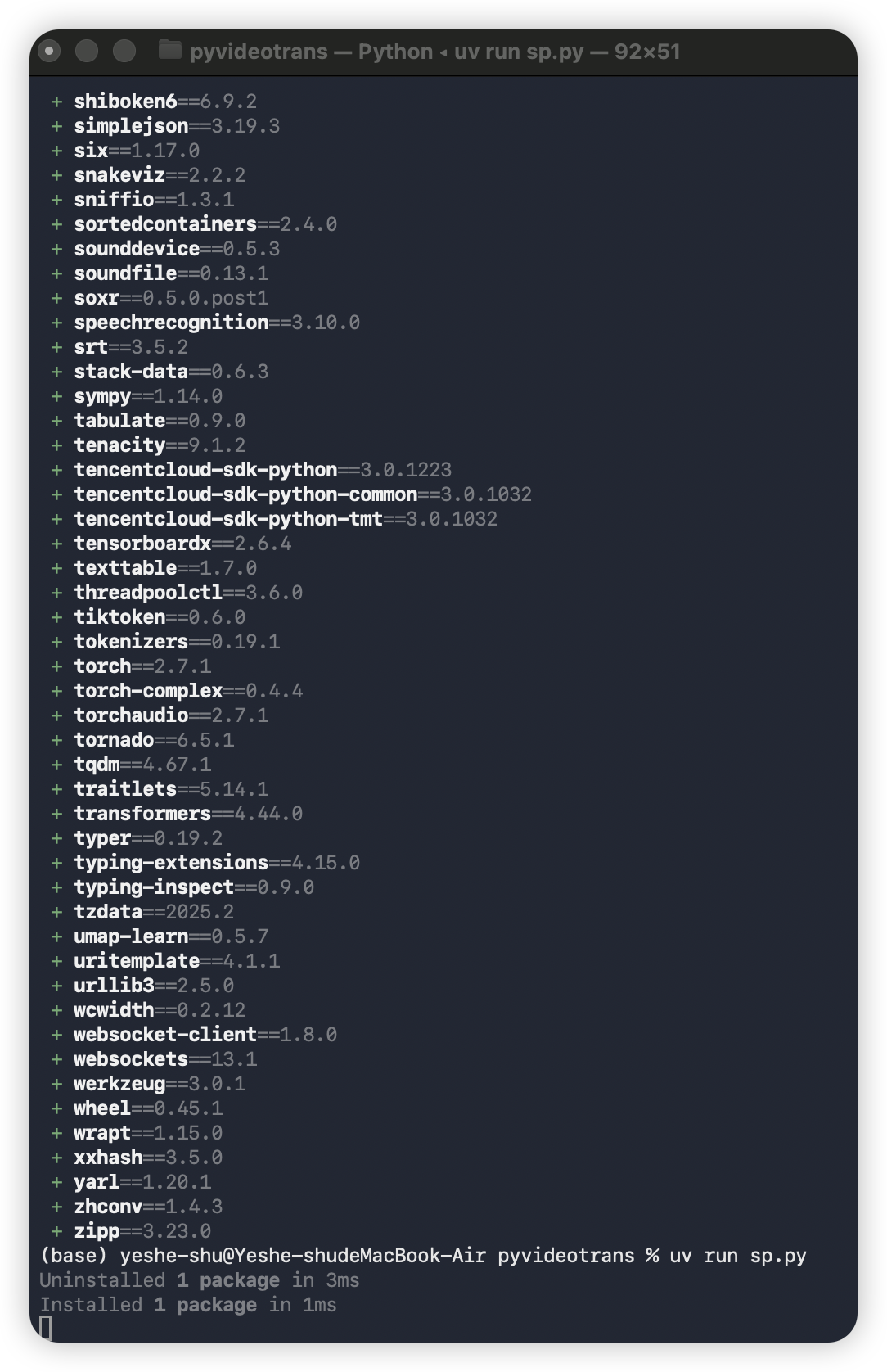
打开 pyproject.toml 搜索samplerate,删掉这行即可

打开pyproject.toml搜索samplerate,删掉这个行即可~这个方法可行!

根据开发者的权威回复,解决方法是:

  1. 打开 pyvideotrans 项目目录下的 pyproject.toml 文件。
  2. 搜索包含 samplerate 的行。
  3. 删除该行依赖项。
  4. 保存文件后重新运行 uv sync

这样即可跳过有编译问题的 samplerate 库的安装。请注意,这可能导致软件中某些音频重采样功能不可用,但核心的视频翻译功能应能正常工作。

image

根据您提供的截图,这是 pyVideoTrans 软件的主界面。从界面状态可以看出:

  1. 软件已成功启动:界面正常显示,各功能区域清晰可见。
  2. 当前配置

    • 语音识别:选择了 faster-whisper(本地),模型为 large-v3,这是推荐的配置。
    • 翻译:选择了 Google 翻译。
    • 配音:选择了 Edge-TTS,角色为 zh-CN-XiaoxiaoNeural(中文女声)。
    • CUDA加速:已勾选(如果您有 NVIDIA 显卡,这是正确的)。
  3. 待操作:输入区域为空,需要您拖入或选择要翻译的视频/音频文件。

接下来您可以:

  1. 将需要翻译的视频文件拖拽到“请拖入或选择要翻译的视频、音频或字幕文件”区域。
  2. 根据需要调整其他设置(如目标语言、字幕显示方式等)。
  3. 点击右下角的“开始翻译”按钮启动处理流程。

如果您在后续使用中遇到任何问题,请随时提供具体错误信息。

Post Your Reply
Open source and free maintenance is not easy. If this project is helpful to you, please consider making a small donation to help the project continue to maintain and update.

Donate: https://ko-fi.com/jianchang512

Trending Questions