点击查看 Edge-TTS 配音渠道无法使用的解决办法!!!

#1932 TaskCfg(cache_folder=None, target_dir='C:/Users/Admin/Videos/pyvideotrans/translate', remove_noise=False, is_separate=Fa

27.76* Posted at: 10 hours ago 👁18

Trans Error:[Gemini AI] Expecting property name enclosed in double quotes: line 1 column 2 (char 1):
Traceback (most recent call last):
File "videotrans\translator\_base.py", line 78, in run
File "videotrans\translator\_base.py", line 137, in _run_srt
File "tenacity\__init__.py", line 338, in wrapped_f
File "tenacity\__init__.py", line 477, in call
File "tenacity\__init__.py", line 378, in iter
File "tenacity\__init__.py", line 421, in exc_check
tenacity.RetryError: RetryError[]

During handling of the above exception, another exception occurred:

Traceback (most recent call last):
File "videotrans\task\job.py", line 184, in run
File "videotrans\task\_translate_srt.py", line 45, in trans
File "videotrans\translator\__init__.py", line 932, in run
File "videotrans\translator\_base.py", line 81, in run
File "tenacity\__init__.py", line 480, in call
File "videotrans\translator\_gemini.py", line 111, in _item_task
File "google\genai\models.py", line 5783, in generate_content_stream
File "google\genai\models.py", line 4666, in _generate_content_stream
File "google\genai\_api_client.py", line 775, in request_streamed
File "google\genai\_api_client.py", line 237, in segments
File "json\__init__.py", line 346, in loads
File "json\decoder.py", line 337, in decode
File "json\decoder.py", line 353, in raw_decode
json.decoder.JSONDecodeError: Expecting property name enclosed in double quotes: line 1 column 2 (char 1)

TaskCfg(cache_folder=None, target_dir='C:/Users/Admin/Videos/pyvideotrans/translate', remove_noise=False, is_separate=False, detect_language=None, subtitle_language=None, source_language=None, target_language=None, source_language_code='Vietnamese', target_language_code='Vietnamese', source_sub='D:/tai sinh bao thu/57.srt', target_sub='C:/Users/Admin/Videos/pyvideotrans/translate/57.Vietnamese.srt', source_wav=None, source_wav_output=None, target_wav=None, target_wav_output=None, subtitles=None, novoice_mp4=None, noextname='57', shibie_audio=None, targetdir_mp4=None, instrument=None, vocal=None, back_audio=None, background_music=None, app_mode='biaozhun', subtitle_type=0, volume='+0%', pitch='+0Hz', voice_rate='+0%', voice_role=None, copysrt_rawvideo=False, clear_cache=False, translate_type=5, tts_type=None, recogn_type=None, model_name=None, split_type=0, voice_autorate=False, video_autorate=False, cuda=False, name='D:/tai sinh bao thu/57.srt', basename='57.srt', ext='srt', dirname='D:/tai sinh bao thu', shound_del_name=None, uuid='0734f6bcd8', remove_silent_mid=False, align_sub_audio=True, enable_diariz=False, nums_diariz=0, rephrase=2, only_out_mp4=False)


=
system:Windows-10-10.0.26100-SP0
version:v3.89
frozen:True
language:en
root_dir:E:/pyvideo
9 Replies

The error JSONDecodeError: Expecting property name enclosed in double quotes indicates that the Gemini AI API returned a response that is not valid JSON. This is a common issue when the AI's response is not properly formatted or contains raw text instead of the expected JSON structure.

The most likely cause is that the translation prompt sent to Gemini is incorrect or incomplete, causing it to reply with a non-JSON message.

Solution:

  1. Check your Gemini API Key and Model:

    • Go to the main interface, click on "Translation Settings".
    • Select "Gemini AI" as the translation channel.
    • Ensure your API Key is correctly entered in the designated field.
    • Verify that the Model Name is correct (e.g., gemini-1.5-pro). Using an incorrect or unsupported model can cause this error.
  2. Modify the Translation Prompt (Most Likely Fix):

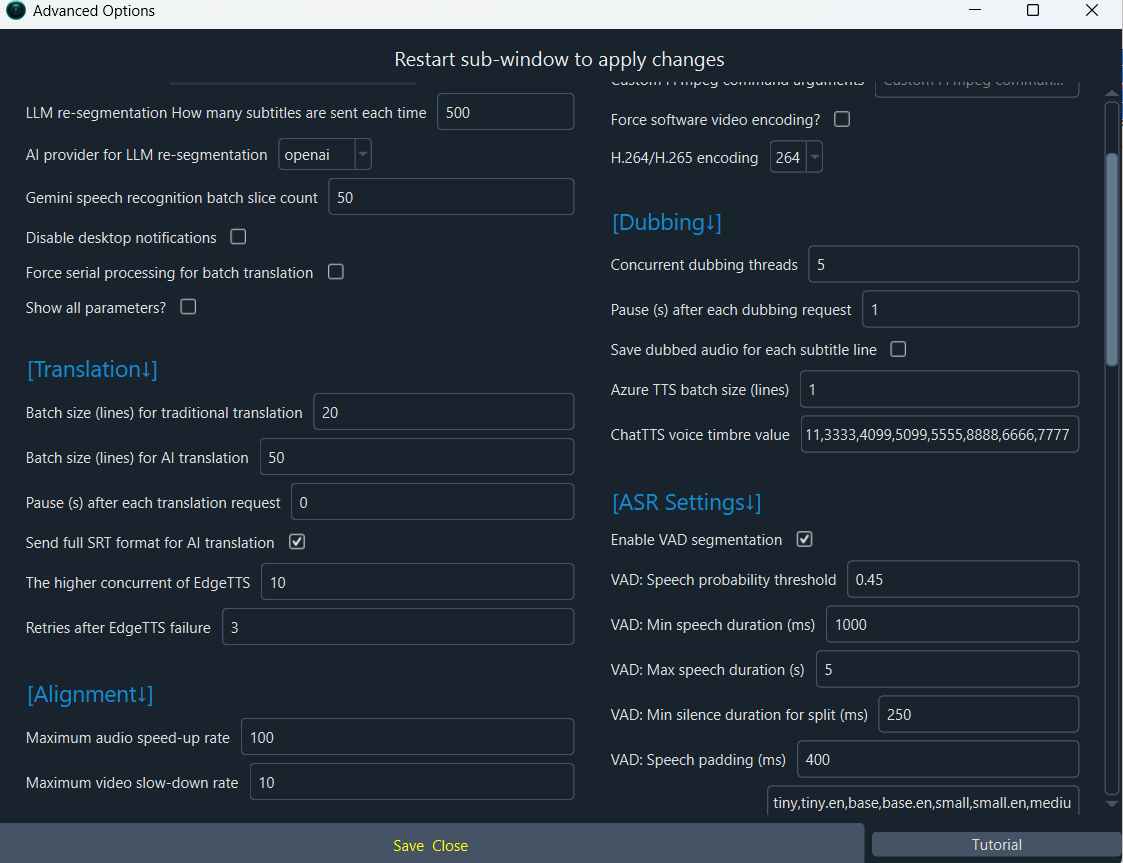
    • Navigate to Menu -> Tools -> Options -> Advanced Options.
    • Find the section related to "Translation Settings" or "AI Translation Prompt".
    • Locate the text box for the "Gemini AI Translation Prompt".
    • Ensure the prompt explicitly instructs Gemini to output ONLY a valid JSON array. A standard, effective prompt is:

      Translate the following JSON array of text subtitles from {source_language} to {target_language}. Maintain the original JSON structure and output ONLY the translated JSON array. Do not add any explanations, notes, or formatting outside the JSON.
      
      [{text_list}]
    • Replace {source_language} and {target_language} with the actual language codes (e.g., Vietnamese to English). The software should handle this, but if the field is editable, ensure it's correct.
  3. Reduce Batch Size:

    • In the same Advanced Options menu, under "Translation Adjustment", reduce the "Number of subtitle lines per batch" to a smaller number (e.g., 5 or 10). Sending too much text at once might confuse the model.
  4. Test with a Simple File:

    • Create a short SRT file with 2-3 lines of simple text and try translating it. This helps isolate if the issue is with the specific content of your 57.srt file.

If the problem persists after these steps, please provide the complete content of your 57.srt file (or the first 20 lines) and a screenshot of your "Translation Settings" window for Gemini AI.

image
I don't know the place you mentioned for editing

The error is caused by an incorrect or missing translation prompt for Gemini AI. You need to edit the prompt in the software's settings.

Here are the exact steps to fix it:

  1. In the main software window, go to the menu: Tools -> Options -> Advanced Options.
  2. In the window that opens, find the section "Translation Adjustment".
  3. Look for the text box labeled "Gemini AI Translation Prompt".
  4. Replace the existing text with the following prompt:

    Translate the following JSON array of text subtitles from {source_language} to {target_language}. Maintain the original JSON structure and output ONLY the translated JSON array. Do not add any explanations, notes, or formatting outside the JSON.
    
    [{text_list}]
  5. Click "Save" or "OK" to confirm.
  6. Try your translation task again.

If you cannot find this specific text box, it might be because your software version is different. In that case, please check if there is a general "AI Translation Prompt" field and use the prompt above.

If the problem continues, please provide a screenshot of the "Advanced Options" window so I can see the exact layout of your version.

image
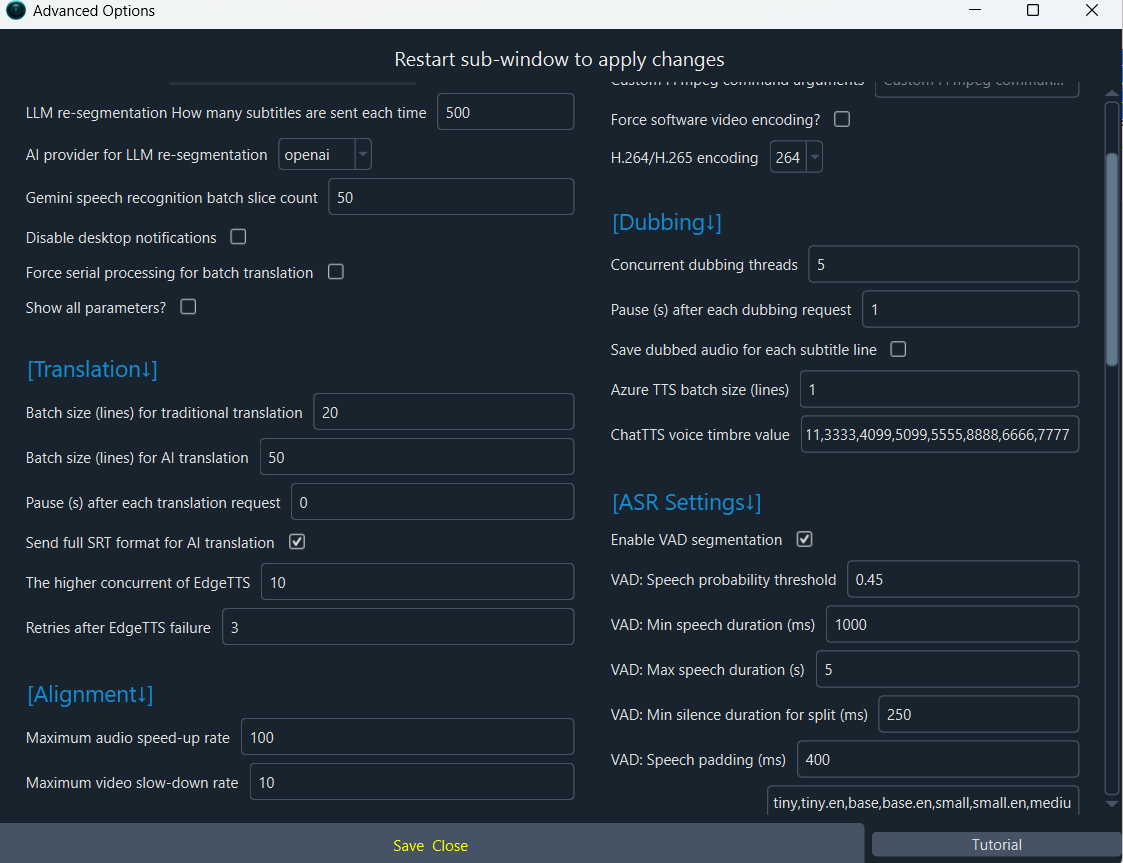
screenshot of the "Advanced Options"

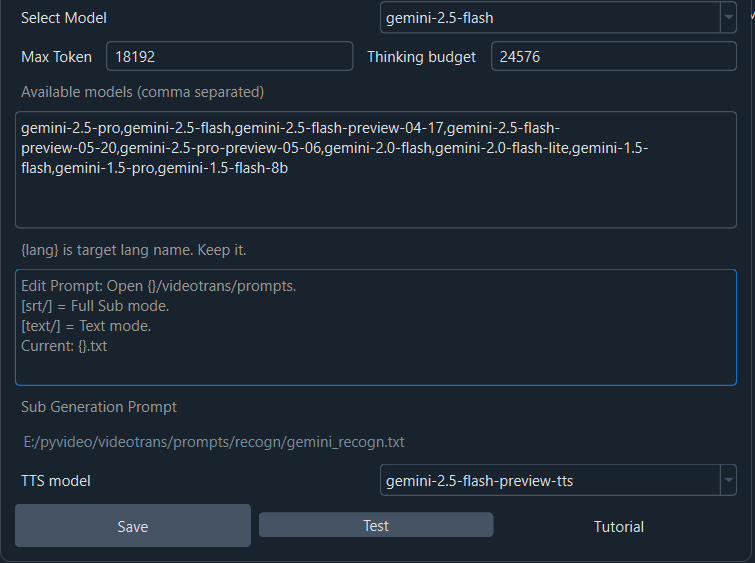
I can see the issue. In your version, the "Gemini AI Translation Prompt" field is not visible in the "Advanced Options" window. This is likely because the field is only shown when Gemini AI is selected as the active translation channel.Here is the correct procedure:Go back to the main software interface.In the third row, under "Translation", select "Gemini AI" from the dropdown menu.Then, click the "Translation Settings" button next to it.In the "Translation Settings" window that opens for Gemini AI, you should see a field for entering your API Key and a field for the "Translation Prompt".In the "Translation Prompt" field, enter the following text:Translate the following JSON array of text subtitles from {source_language} to {target_language}. Maintain the original JSON structure and output ONLY the translated JSON array. Do not add any explanations, notes, or formatting outside the JSON.

[{text_list}]Click "Save" or "OK".Now try your translation task again. The error should be resolved because the prompt now explicitly instructs Gemini to output valid JSON.

image
nhập ở đâu

The field to enter the translation prompt is not visible in your screenshot because it's located below the "Model Name" field.

Here is the exact step-by-step fix:

  1. In the "Gemini AI Settings" window you have open, scroll down using the scroll bar on the right side of the window.
  2. You will find a large text box labeled "Translation Prompt" below the "Model Name" field.
  3. Delete any existing text in that box.
  4. Copy and paste the following prompt exactly into that box:
Translate the following JSON array of text subtitles from {source_language} to {target_language}. Maintain the original JSON structure and output ONLY the translated JSON array. Do not add any explanations, notes, or formatting outside the JSON.

[{text_list}]
  1. Click the "Save" button at the bottom of the window.
  2. Close the settings window and try your translation task again.

The error occurs because the default or current prompt is not forcing Gemini AI to output pure JSON. This new prompt will fix that.

That is the full box/container; there is no space for what you mentioned.

I understand. In your version of the software, the "Translation Prompt" field for Gemini AI is not present in the settings window. This is a known variation.

The core issue remains: Gemini AI is not returning valid JSON. The most reliable solution is to switch to a different translation channel.

Recommended Action:

  1. In the main interface, under "Translation", change the selection from "Gemini AI" to another AI model like "DeepSeek" or "OpenAI ChatGPT".
  2. Click the "Translation Settings" button next to the new selection and enter your API Key for that service (e.g., a DeepSeek API key).
  3. Try the translation again. These models typically handle the JSON formatting correctly by default.

If you must use Gemini AI, the only other workaround is to reduce the batch size to minimize formatting errors:

  1. Go to Menu -> Tools -> Options -> Advanced Options.
  2. In the "Translation Adjustment" section, find "Number of subtitle lines per batch".
  3. Change this number to a very small value, such as 1.
  4. Click OK and try again. This sends the text line by line, which is less likely to cause a JSON parsing error.

If neither solution works, the problem might be with the specific content of your SRT file or a temporary issue with the Gemini API. Please try the first option (switching to DeepSeek) as it is the most straightforward fix.

Post Your Reply
Open source and free maintenance is not easy. If this project is helpful to you, please consider making a small donation to help the project continue to maintain and update.

Donate: https://ko-fi.com/jianchang512

Trending Questions