#3098 Qwen3-TTS开启GPU加速报错

183.221* Posted at: 3 hours ago 👁10

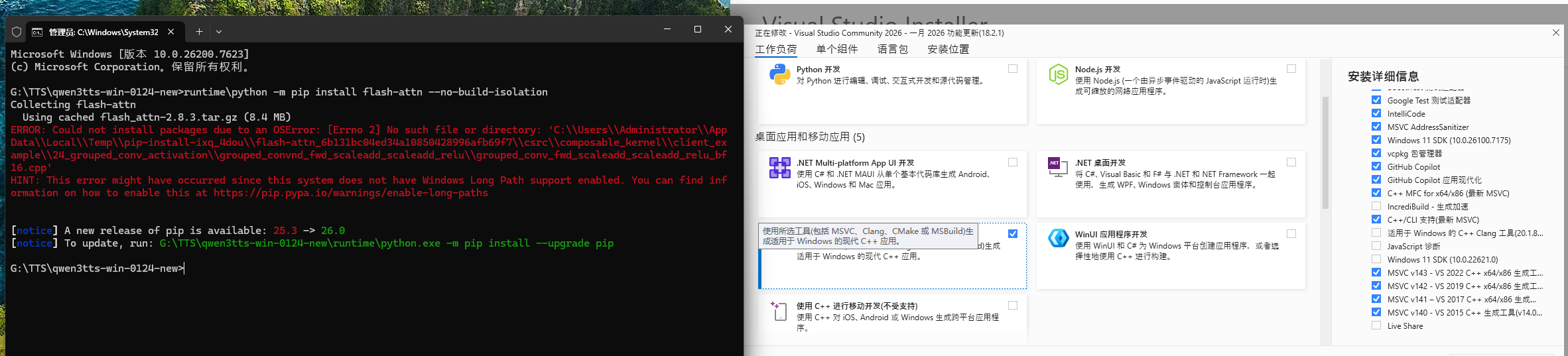
运行runtime\python -m pip install flash-attn --no-build-isolation时报错
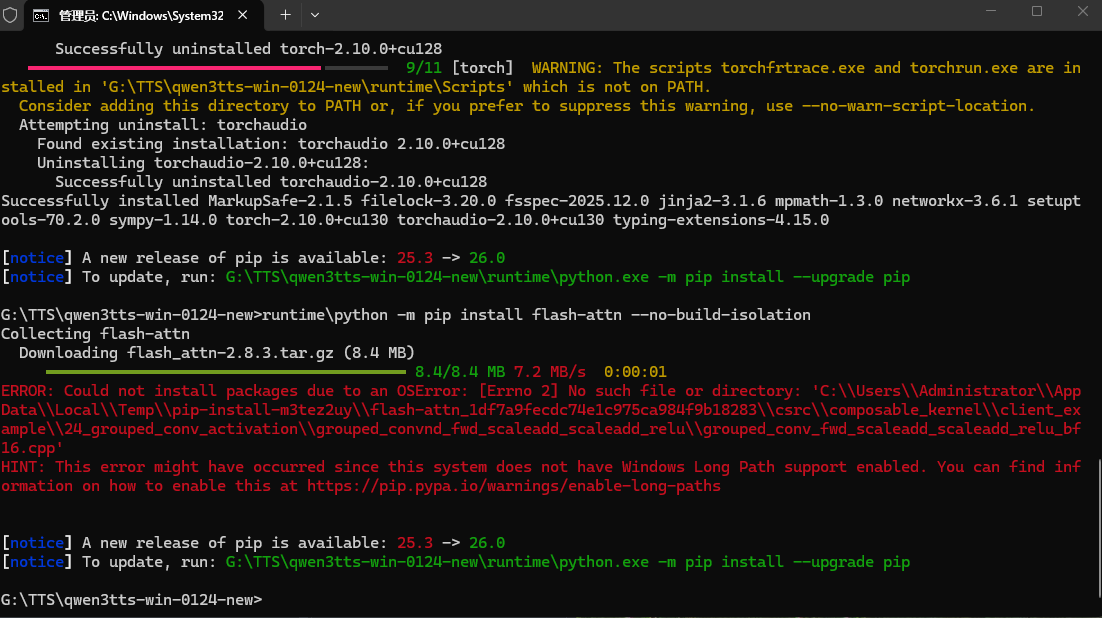
image
求助

3 Replies

这是由于在Windows系统上安装 flash-attn 时缺少必要的C++编译环境导致的。

  1. 安装 Visual Studio Build Toolsflash-attn 需要C++编译器。请下载并安装 Microsoft Visual C++ 14.0 或更高版本。

    • 最直接的方法是安装 Visual Studio Community 2022(免费版),在安装时务必勾选“使用C++的桌面开发”工作负载。
    • 或者,可以尝试直接安装 Microsoft Visual C++ Redistributable(但有时仅此不够,仍需完整构建工具)。
  2. 重新安装:安装好Visual Studio Build Tools后,重新打开一个命令行终端(可能需要重启电脑),再次运行安装命令:

    runtime\python -m pip install flash-attn --no-build-isolation

请查阅相关文档:

还是没报错,我装了Visual Studio
image

根据错误信息,这是安装 flash-attn 时遇到了与 CUDA 相关的编译问题,具体是 nvcc 编译器无法找到 cuda.h 头文件。

  1. 检查 CUDA 安装:确保你的系统已正确安装 CUDA。在命令行输入 nvcc -Vnvidia-smi 来验证 CUDA 版本和显卡驱动。pyVideoTrans 推荐使用 CUDA 12.8。
  2. 设置环境变量:CUDA 的 includelib 目录必须添加到系统环境变量中。通常,CUDA 的安装路径是 C:\Program Files\NVIDIA GPU Computing Toolkit\CUDA\v12.8。请确保系统环境变量 PATH 中包含 C:\Program Files\NVIDIA GPU Computing Toolkit\CUDA\v12.8\binC:\Program Files\NVIDIA GPU Computing Toolkit\CUDA\v12.8\libnvvp。同时,检查是否有 CUDA_PATHCUDA_PATH_V12_8 环境变量指向正确的 CUDA 根目录。
  3. 使用预编译版本:如果环境变量设置正确后问题依旧,可以尝试安装预编译的 wheel 包。访问 flash-attn 的 GitHub Releases 页面,根据你的 Python 版本、CUDA 版本和系统平台(如 cp310cu121win_amd64)下载对应的 .whl 文件。然后使用 pip 本地安装,例如:runtime\python -m pip install path\to\downloaded\flash_attn-*.whl
  4. 考虑必要性:评估你是否真的需要安装 flash-attn。它主要用于加速某些特定的 Transformer 模型。如果你的 pyVideoTrans 工作流(如使用 faster-whisper)没有明确要求,可以暂时跳过此安装。

请查阅相关文档:

Post Your Reply
Open source and free maintenance is not easy. If this project is helpful to you, please consider making a small donation to help the project continue to maintain and update.

Related resource