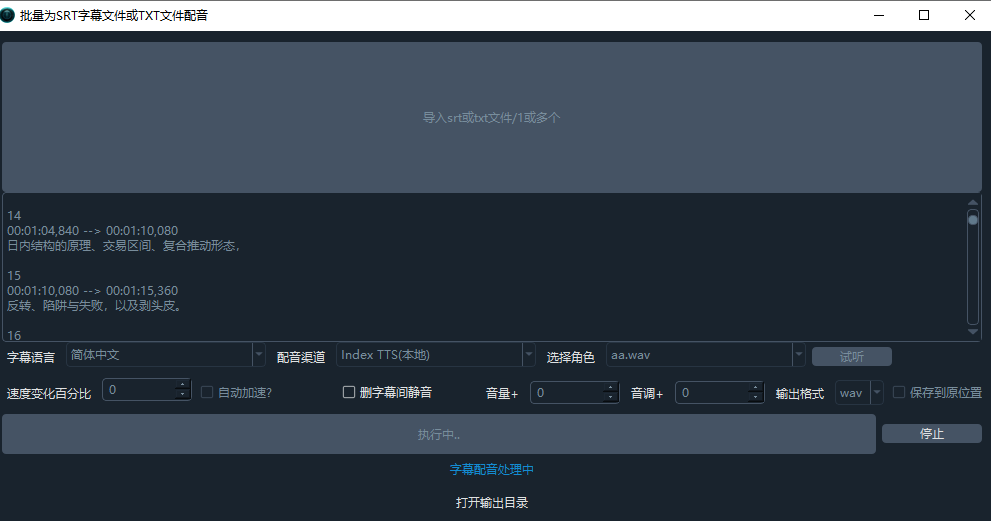
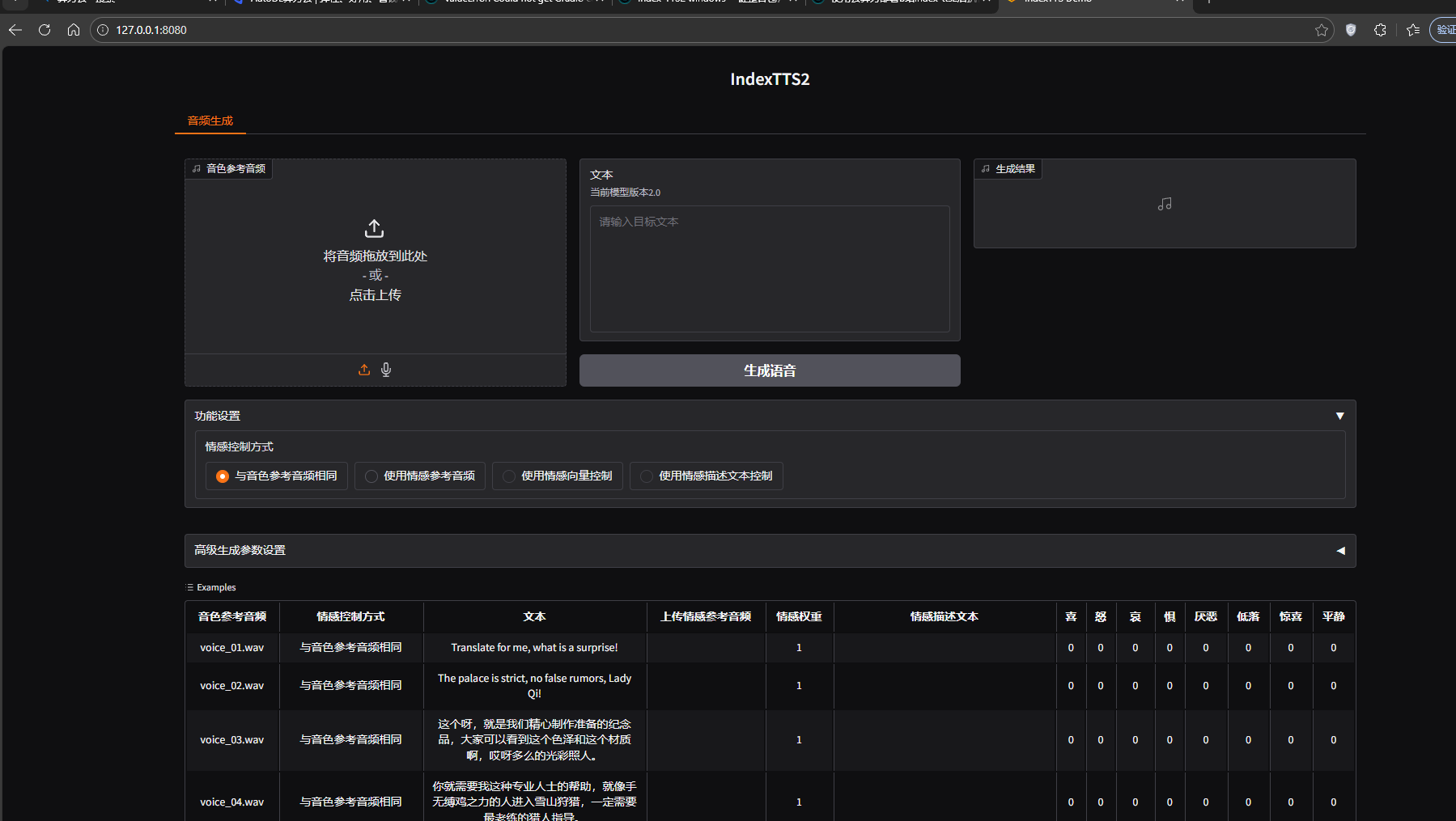
试听测试都没问题,正式执行配音无反应
logs内容:
[DEBUG] [字幕配音]渠道10:共耗时:6s
[INFO] Starting call to 'videotrans.tts._f5tts.F5TTS._item_task.._run', this is the 1st time calling it.
Loaded as API: http://127.0.0.1:8080/
[DEBUG] index-tts data={'ref_wav': 'C:/Users/MSI/Downloads/win-pyvideotrans-v3.97/f5-tts/aa.wav'}
[DEBUG] post={'prompt': {'path': 'C:/Users/MSI/Downloads/win-pyvideotrans-v3.97/f5-tts/aa.wav', 'meta': {'_type': 'gradio.FileData'}, 'orig_name': 'aa.wav'}, 'text': '你好啊我的朋友,希望你今天开心!', 'api_name': '/gen_single', 'emo_ref_path': {'path': 'C:/Users/MSI/Downloads/win-pyvideotrans-v3.97/f5-tts/aa.wav', 'meta': {'_type': 'gradio.FileData'}, 'orig_name': 'aa.wav'}}
[DEBUG] result={'visible': True, 'value': 'C:\Users\MSI\AppData\Local\Temp\gradio\ad3605b59f957f141617ba04d971761e3446b0163d160694163906b4a414c5c7\spk_1771909197.wav', '__type__': 'update'}
[DEBUG] cmd=['C:/Users/MSI/Downloads/win-pyvideotrans-v3.97/ffmpeg/ffmpeg.exe', '-hide_banner', '-ignore_unknown', '-threads', '0', '-y', '-i', 'C:\Users\MSI\AppData\Local\Temp\gradio\ad3605b59f957f141617ba04d971761e3446b0163d160694163906b4a414c5c7\spk_1771909197.wav', '-ar', '48000', '-ac', '2', '-c:a', 'pcm_s16le', 'C:/Users/MSI/Downloads/win-pyvideotrans-v3.97/tmp/10672/1771909203.619228-10.wav']
[DEBUG] [字幕配音]渠道10:共耗时:7s
[DEBUG] 配音 self.cfg=TaskCfg(cache_folder='C:/Users/MSI/Downloads/win-pyvideotrans-v3.97/tmp/10672/72e18e2cd5', target_dir='C:/Users/MSI/Downloads/win-pyvideotrans-v3.97/output/tts', remove_noise=False, is_separate=False, detect_language=None, subtitle_language=None, source_language=None, target_language=None, source_language_code=None, target_language_code='zh-cn', source_sub=None, target_sub='C:/Users/MSI/Downloads/win-pyvideotrans-v3.97/tmp/10672/20260224-130023.srt', source_wav=None, source_wav_output=None, target_wav='C:/Users/MSI/Downloads/win-pyvideotrans-v3.97/output/tts/20260224-130023.wav', target_wav_output=None, subtitles='', novoice_mp4=None, noextname='20260224-130023', shibie_audio=None, targetdir_mp4=None, instrument=None, vocal=None, back_audio=None, background_music=None, app_mode='biaozhun', subtitle_type=0, volume='+0%', pitch='+0Hz', voice_rate='+0%', voice_role='aa.wav', copysrt_rawvideo=False, clear_cache=False, translate_type=None, tts_type=10, recogn_type=None, model_name=None, voice_autorate=False, video_autorate=False, is_cuda=True, name='C:/Users/MSI/Downloads/win-pyvideotrans-v3.97/tmp/10672/20260224-130023.srt', basename='20260224-130023.srt', ext='srt', dirname='C:/Users/MSI/Downloads/win-pyvideotrans-v3.97/tmp/10672', shound_del_name=None, uuid='72e18e2cd5', remove_silent_mid=False, align_sub_audio=False, enable_diariz=False, nums_diariz=0, rephrase=2, only_out_mp4=False, fix_punc=False, recogn2pass=False)
[INFO] Starting call to 'videotrans.tts._f5tts.F5TTS._item_task.._run', this is the 1st time calling it.
Loaded as API: http://127.0.0.1:8080/
[DEBUG] [字幕配音]渠道10:共耗时:1s
[DEBUG] 配音 self.cfg=TaskCfg(cache_folder='C:/Users/MSI/Downloads/win-pyvideotrans-v3.97/tmp/10672/d32d49039f', target_dir='C:/Users/MSI/Downloads/win-pyvideotrans-v3.97/output/tts', remove_noise=False, is_separate=False, detect_language=None, subtitle_language=None, source_language=None, target_language=None, source_language_code=None, target_language_code='zh-cn', source_sub=None, target_sub='C:/Users/MSI/Downloads/win-pyvideotrans-v3.97/tmp/10672/20260224-130046.srt', source_wav=None, source_wav_output=None, target_wav='C:/Users/MSI/Downloads/win-pyvideotrans-v3.97/output/tts/20260224-130046.wav', target_wav_output=None, subtitles='', novoice_mp4=None, noextname='20260224-130046', shibie_audio=None, targetdir_mp4=None, instrument=None, vocal=None, back_audio=None, background_music=None, app_mode='biaozhun', subtitle_type=0, volume='+0%', pitch='+0Hz', voice_rate='+0%', voice_role='aa.wav', copysrt_rawvideo=False, clear_cache=False, translate_type=None, tts_type=10, recogn_type=None, model_name=None, voice_autorate=False, video_autorate=False, is_cuda=True, name='C:/Users/MSI/Downloads/win-pyvideotrans-v3.97/tmp/10672/20260224-130046.srt', basename='20260224-130046.srt', ext='srt', dirname='C:/Users/MSI/Downloads/win-pyvideotrans-v3.97/tmp/10672', shound_del_name=None, uuid='d32d49039f', remove_silent_mid=False, align_sub_audio=False, enable_diariz=False, nums_diariz=0, rephrase=2, only_out_mp4=False, fix_punc=False, recogn2pass=False)