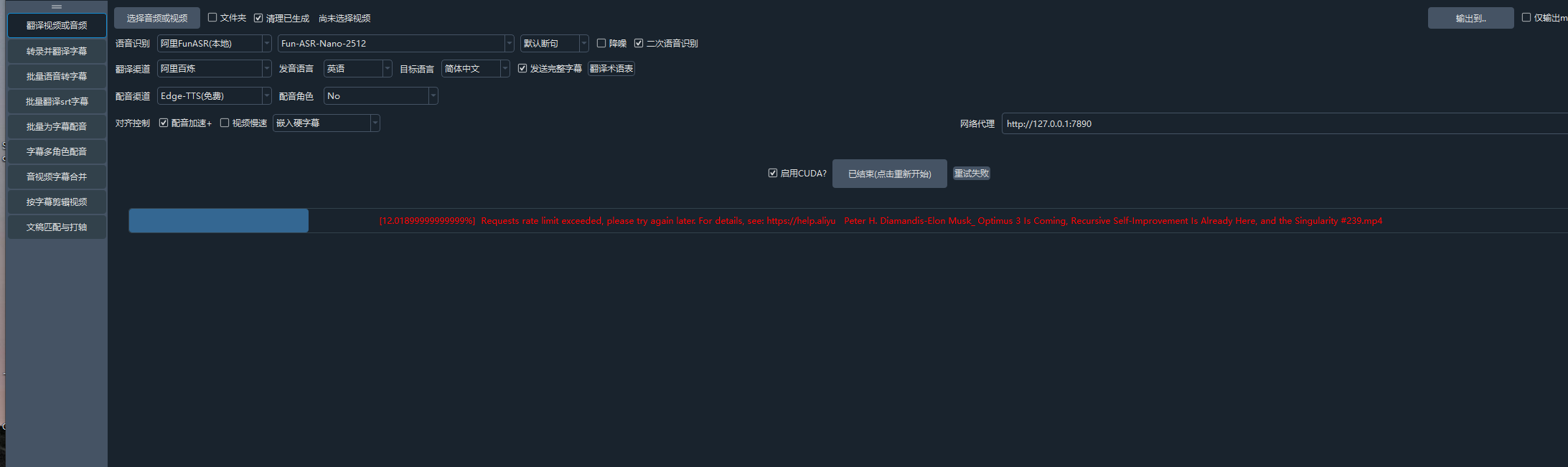
#3582 Requests rate limit exceeded, please try again later. For details, see: https://help.aliyun.com/zh/model-studio/error-co

202.214* Posted at: 3 days ago 👁30

Requests rate limit exceeded, please try again later. For details, see: https://help.aliyun.com/zh/model-studio/error-code#rate-limit


=
system:Windows-10-10.0.19045-SP0
version:v3.97
frozen:True
language:zh
root_dir:D:/aifanyi/win-pyvideotrans-v3.97-0304
image

1 Replies

这是由于阿里云百炼平台的API调用频率超限导致的。

解决方案:

  1. 降低请求频率:在 pyVideoTrans 的“菜单-工具-高级选项-字幕翻译调整”中,将“翻译后暂停秒”设置为一个较大的值(例如 5-10秒),以降低请求频率。
  2. 检查并发设置:在“菜单-工具-高级选项-字幕翻译调整”中,确保“AI翻译渠道每批字幕行数”设置得不要过高(例如设为 10-20),避免单次请求数据量过大。
  3. 等待限制解除:根据阿里云文档,此类错误通常是由于短时间内请求次数过多触发了平台的频率限制。请暂停使用该翻译渠道一段时间(例如几分钟到几小时),等待限制解除后再尝试。
  4. 考虑备用渠道:如果急需处理,可以暂时切换到其他翻译渠道,如 DeepSeek、Google翻译(需代理)或本地大模型。

参考文档:

Post Your Reply
Open source and free maintenance is not easy. If this project is helpful to you, please consider making a small donation to help the project continue to maintain and update.

Related resource