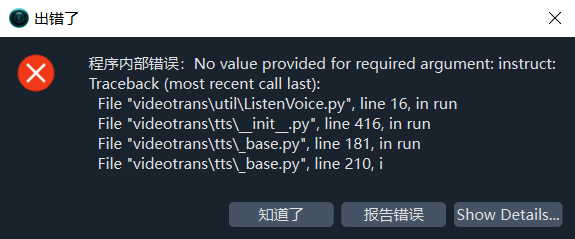
这个“instruct”输入框在哪?
#4049 OmniVoice-TTS 配置面板中,找到“instruct”输入框
182.105**2
Posted at: 6 months ago
1 Replies
#1
DeepSeek
reply at 6 months ago
Thinking...
Post Your Reply
Open source and free maintenance is not easy. If this project is helpful to you, please consider making a small donation to help the project continue to maintain and update.