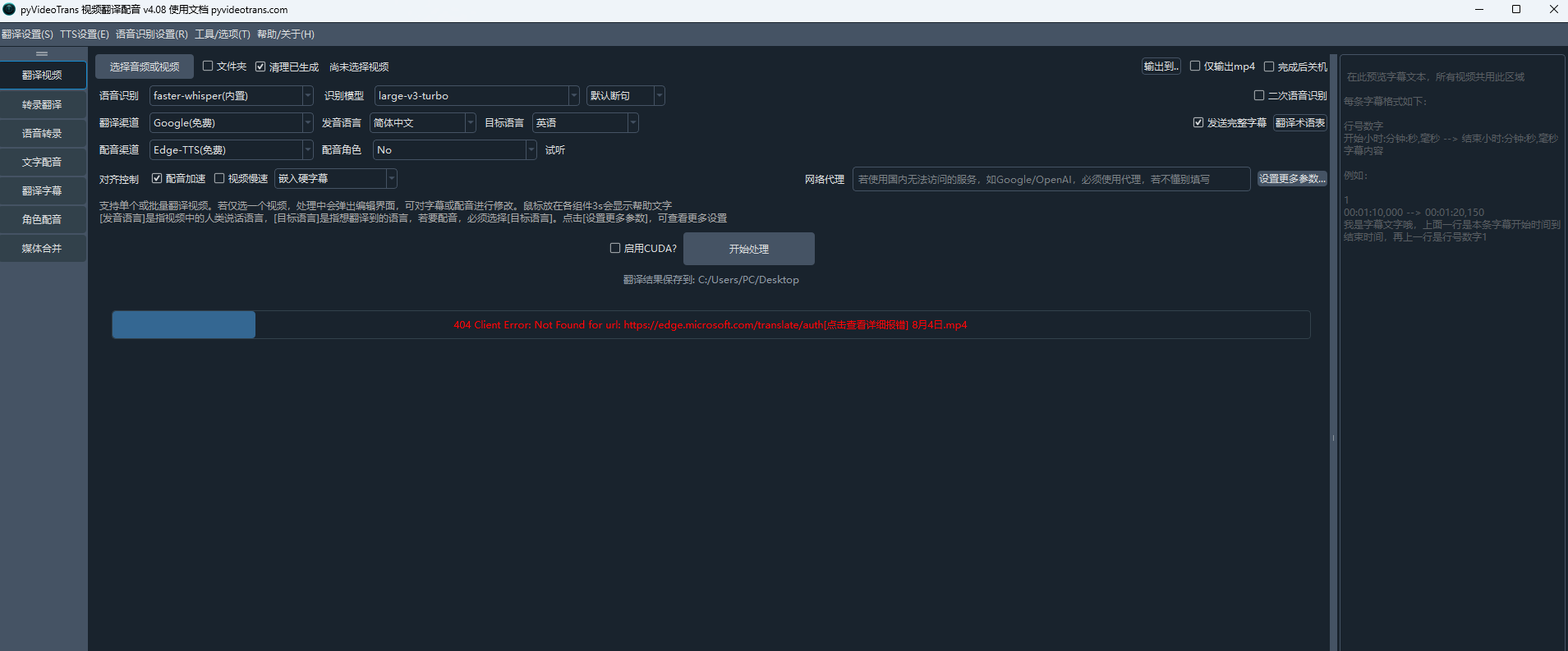
404 Client Error: Not Found for url: https://edge.microsoft.com/translate/auth
Traceback (most recent call last):
File "videotrans\translator\_base.py", line 68, in run
File "videotrans\translator\_base.py", line 107, in _run_text
File "tenacity\__init__.py", line 338, in wrapped_f
File "tenacity\__init__.py", line 477, in call
File "tenacity\__init__.py", line 378, in iter
File "tenacity\__init__.py", line 421, in exc_check
tenacity.RetryError: RetryError[]
During handling of the above exception, another exception occurred:
Traceback (most recent call last):
File "videotrans\task\only_one.py", line 83, in run
File "videotrans\task\_stage_translate.py", line 31, in trans
File "videotrans\translator\_runner.py", line 63, in run
File "videotrans\translator\_base.py", line 74, in run
File "tenacity\__init__.py", line 480, in call
File "videotrans\translator\_microsoft.py", line 26, in _item_task
File "requests\models.py", line 1026, in raise_for_status
requests.exceptions.HTTPError: 404 Client Error: Not Found for url: https://edge.microsoft.com/translate/auth
cfg=[TaskCfgVTT]当前工作模式: 翻译视频或音频 单视频模式
原始输入文件名: C:/Users/PC/Desktop/8月4日.mp4,
输出结果保存到文件夹: C:/Users/PC/Desktop/8月4日-mp4,
临时文件夹: D:/软件/win-pyvideotrans-v4.08-0802/tmp/23992/bdc62db1ac
已选 清理已存在
未启用CUDA加速
未选 降噪
语音识别:faster-whisper(内置), model_name: large-v3-turbo, 发音语言: 简体中文, 断句方式:默认断句
翻译渠道:Google(免费),原始语言:简体中文,目标语言:英语, 已选 发送完整字幕
未选 配音角色,不进行配音
字幕: 嵌入硬字幕
代理地址:
=
system:Windows-10-10.0.26200-SP0
version:v4.08
frozen:True
language:zh
root_dir:D:/软件/win-pyvideotrans-v4.08-0802