#6352 翻译字幕阶段出错 [Google(免费)] 404 Client Error: Not Found for url: https://edge.microsoft.com/translate/authTraceback (most rece

182.138.**2 Posted at: 3 hours ago

翻译字幕阶段出错 [Google(免费)] 404 Client Error: Not Found for url: https://edge.microsoft.com/translate/auth
Traceback (most recent call last):

File "videotrans\translator\_base.py", line 68, in run

File "videotrans\translator\_base.py", line 107, in _run_text

File "tenacity\__init__.py", line 338, in wrapped_f

File "tenacity\__init__.py", line 477, in call

File "tenacity\__init__.py", line 378, in iter

File "tenacity\__init__.py", line 421, in exc_check

tenacity.RetryError: RetryError[]

During handling of the above exception, another exception occurred:

Traceback (most recent call last):

File "videotrans\task\job.py", line 35, in run

File "videotrans\task\job.py", line 136, in process_task

File "videotrans\task\_stage_translate.py", line 31, in trans

File "videotrans\translator\_runner.py", line 63, in run

File "videotrans\translator\_base.py", line 74, in run

File "tenacity\__init__.py", line 480, in call

File "videotrans\translator\_microsoft.py", line 26, in _item_task

File "requests\models.py", line 1026, in raise_for_status

requests.exceptions.HTTPError: 404 Client Error: Not Found for url: https://edge.microsoft.com/translate/auth
cfg=[TaskCfgVTT]当前工作模式: 转录并翻译字幕
原始输入文件名: C:/Users/PC/Desktop/8月4日.mp4,
输出结果保存到文件夹: C:/Users/PC/Desktop/8月4日-mp4,
临时文件夹: D:/软件/win-pyvideotrans-v4.08-0802/tmp/23992/bdc62db1ac
已选 清理已存在
未启用CUDA加速
未选 降噪
语音识别:faster-whisper(内置), model_name: large-v3-turbo, 发音语言: 简体中文, 断句方式:默认断句
翻译渠道:Google(免费),原始语言:简体中文,目标语言:英语, 已选 发送完整字幕
输出字幕格式: 单字幕
代理地址:


=
system:Windows-10-10.0.26200-SP0
version:v4.08
frozen:True
language:zh
root_dir:D:/软件/win-pyvideotrans-v4.08-0802
5 Replies

这是微软翻译接口当前不可用导致的。你虽然选择了 Google(免费),但 Google 翻译在中国大陆无法直接访问,软件在你选中 Google 且失败后会自动用微软翻译重试;而微软翻译的免费接口(edge.microsoft.com)当前返回 404,说明微软免费翻译服务暂时故障或接口已关闭,因此整体报错。

解决方案:

  1. 更换翻译渠道为 DeepSeek(推荐,质量最好):

    • 前往 https://platform.deepseek.com/ 注册并充值(最低可自定义充值 1 元);
    • 获取 API Key 后,填入 软件菜单 → 翻译设置 → DeepSeek 的密钥框;
    • 主界面翻译渠道下拉选择 DeepSeek
  2. 或使用本地离线翻译渠道 M2M100(内置)

    • 主界面翻译渠道下拉选择 M2M100(内置)
    • 第一次使用会在线下载模型,之后可完全离线翻译。
  3. 若仍坚持使用 Google 翻译:

    • 需要配置可用的网络代理,在主界面代理框填写形如 http://127.0.0.1:端口号 的地址;
    • 注意:即使配置代理,由于微软翻译接口当前故障,自动回退依然可能失败。

请查阅相关文档:

M2M100(内置)在哪设置

在主界面「翻译视频」的第3行 翻译渠道 下拉框中,直接选择 M2M100(内置) 即可,无需单独设置密钥。

注意事项:

  1. 第一次使用时会自动在线下载模型。
  2. 如果自动下载失败,可手动下载模型包:
    https://modelscope.cn/models/himyworld/videotrans/resolve/master/m2m100_12b_model.zip
    下载后解压,将得到的 m2m100 文件夹放入软件根目录的 models/ 目录下。
  3. M2M100 是本地离线翻译模型,速度相对较慢,但无需联网、不用配置代理。

请查阅相关文档:

image
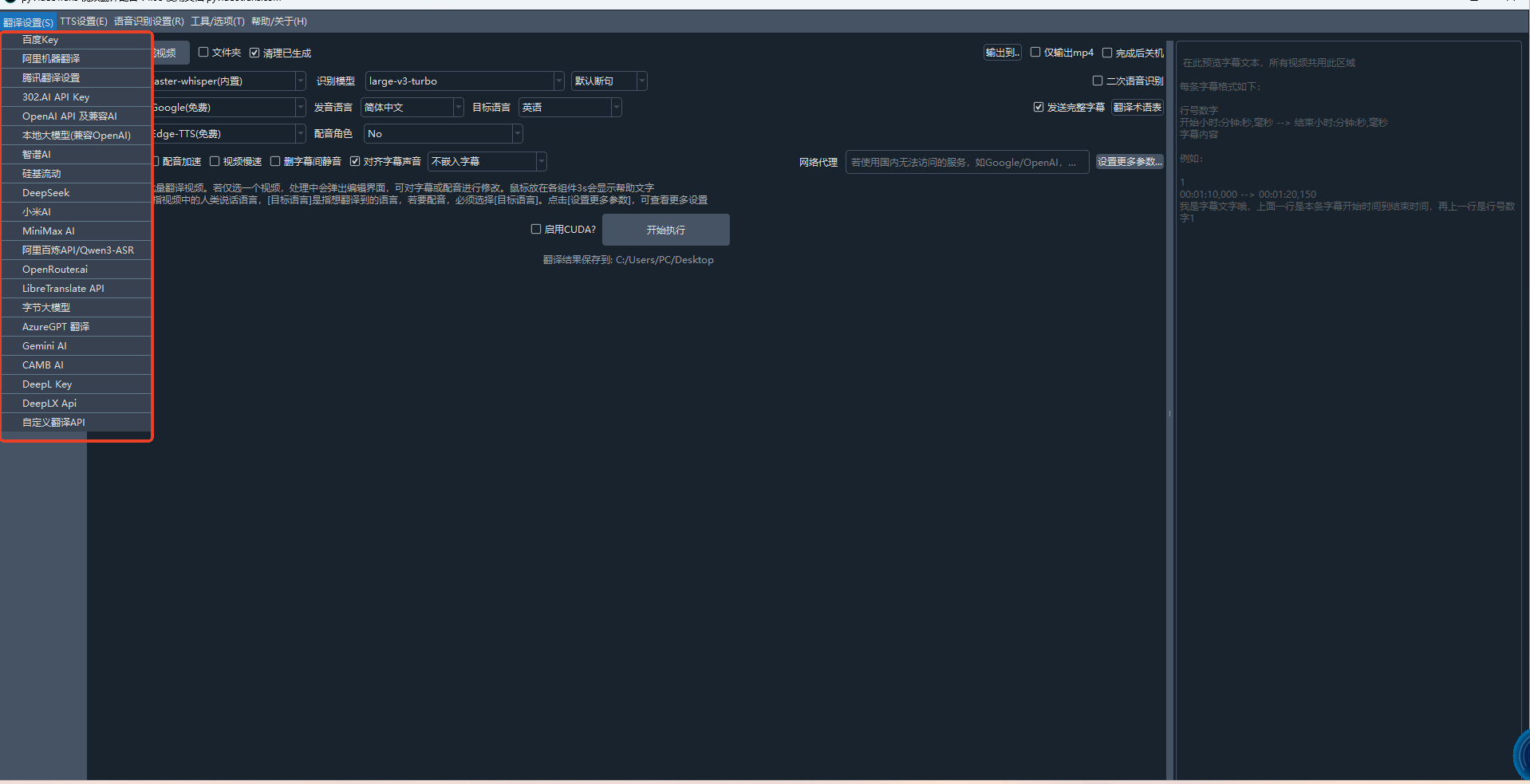
没有 M2M100(内置) 的选项

请确认位置:在「翻译视频」主界面的第3行,下拉框名称是「翻译渠道」,不是「语音识别」或「配音渠道」。展开「翻译渠道」下拉框后需要向下滚动查找,列表较长(共 24 种渠道),M2M100 的显示名称可能是「M2M100(内置)」或「M2M100本地模型」。若滚动后确认完全没有该选项:可能是您的软件文件不完整,请重新下载最新版完整包或补丁包覆盖安装: https://pyvideotrans.com/downpackage 覆盖时不会清除您的配置。若暂时不想重装,可先改用 DeepSeek 或 Microsoft 翻译渠道继续任务。请查阅相关文档:翻译渠道说明M2M100翻译

Post Your Reply
Open source and free maintenance is not easy. If this project is helpful to you, please consider making a small donation to help the project continue to maintain and update.

Dondate via ko-fi.com

Dondate via PayPal

Related resource