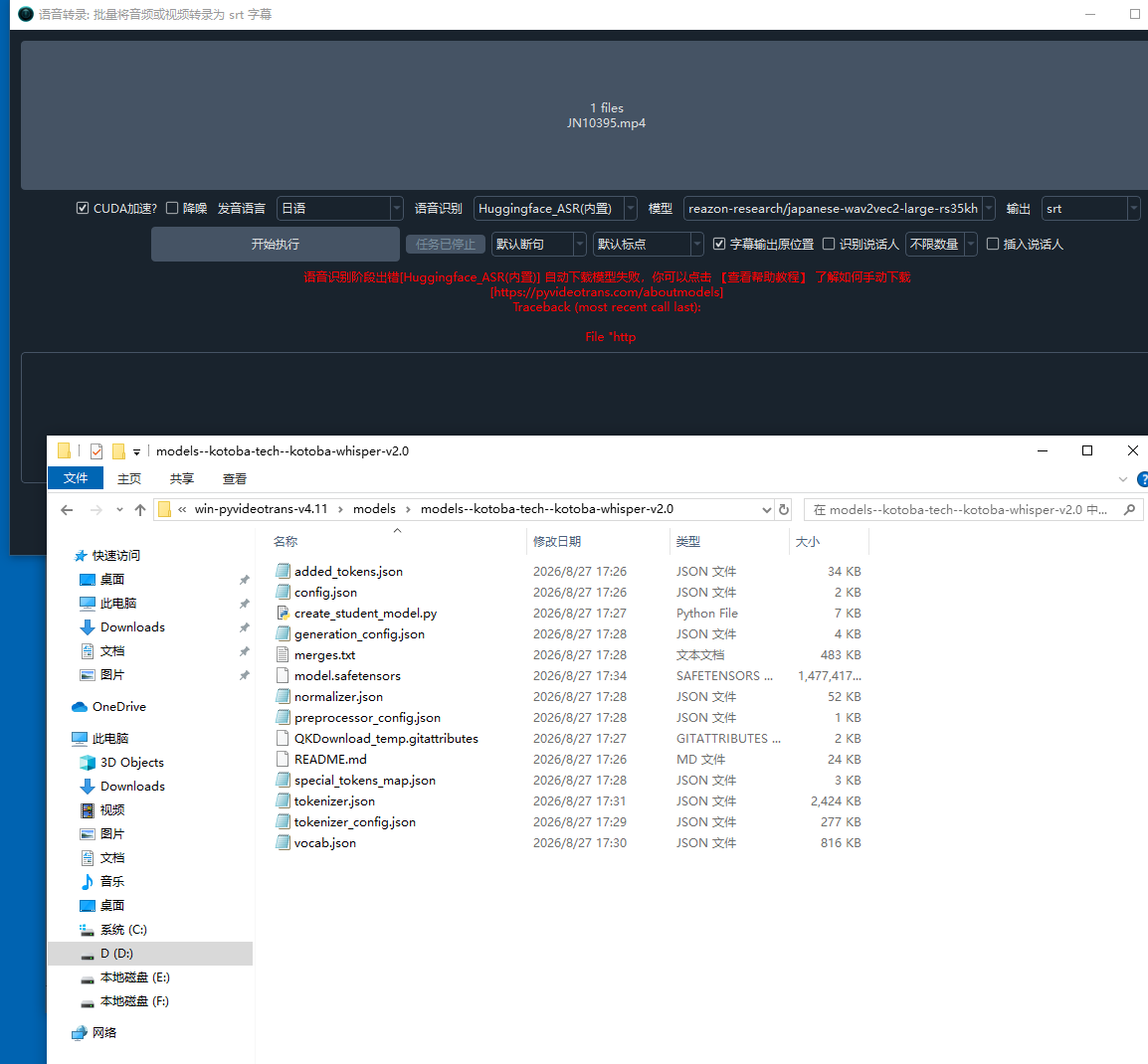
语音识别阶段出错[Huggingface_ASR(内置)] 自动下载模型失败,你可以点击 【查看帮助教程】 了解如何手动下载
Traceback (most recent call last):
File "httpx\_transports\default.py", line 101, in map_httpcore_exceptions
File "httpx\_transports\default.py", line 250, in handle_request
File "httpcore\_sync\connection_pool.py", line 216, in handle_request
File "httpcore\_sync\connection_pool.py", line 196, in handle_request
File "httpcore\_sync\connection.py", line 99, in handle_request
File "httpcore\_sync\connection.py", line 76, in handle_request
File "httpcore\_sync\connection.py", line 122, in _connect
File "httpcore\_backends\sync.py", line 205, in connect_tcp
File "contextlib.py", line 153, in exit
File "httpcore\_exceptions.py", line 14, in map_exceptions
httpcore.ConnectTimeout: [WinError 10060] 由于连接方在一段时间后没有正确答复或连接的主机没有反应,连接尝试失败。
The above exception was the direct cause of the following exception:
Traceback (most recent call last):
File "huggingface_hu
......
或连接的主机没有反应,连接尝试失败。
The above exception was the direct cause of the following exception:
Traceback (most recent call last):
File "videotrans\util\help_down.py", line 135, in check_and_down_hf
File "huggingface_hub\utils\_validators.py", line 88, in _inner_fn
return fn(*args, **kwargs)
File "huggingface_hub\_snapshot_download.py", line 328, in snapshot_download
raise LocalEntryNotFoundError(
huggingface_hub.errors.LocalEntryNotFoundError: Got: ConnectTimeout: [WinError 10060] 由于连接方在一段时间后没有正确答复或连接的主机没有反应,连接尝试失败。
An error happened while trying to locate the files on the Hub and we cannot find the appropriate snapshot folder for the specified revision on the local disk. Please check your internet connection and try again.
During handling of the above exception, another exception occurred:
Traceback (most recent call last):
File "videotrans\task\job.py", line 35, in run
File "videotrans\task\job.py", line 102, in process_task
File "videotrans\task\speech2text.py", line 100, in recogn
File "videotrans\recognition\__init__.py", line 211, in run
File "videotrans\recognition\_base.py", line 96, in run
File "videotrans\recognition\_huggingface.py", line 28, in _download
File "videotrans\util\help_down.py", line 168, in check_and_down_hf
videotrans.configure.excepts.DownloadModelsError: 自动下载模型失败,你可以点击 【查看帮助教程】 了解如何手动下载
[SpeechToText]语音转录: self.out_format='srt',self.copysrt_rawvideo=True,self.spk_insert=False
[TaskCfgSTT]
原始输入文件名: F:/超爱/START破解中文/kks11.cc@ALDN-600J/JN10395.mp4,
输出结果保存到文件夹: D:/BaiduNetdiskDownload/win-pyvideotrans-v4.11/output/recogn,
临时文件夹: D:/win-pyvideotrans-v4.11/tmp/11800/d3cb1601ca
已启用CUDA加速
未选 降噪
语音识别:Huggingface_ASR(内置), reazon-research/japanese-wav2vec2-large-rs35kh 断句方式:默认断句
发音语言:ja
未选 降噪
=
system:Windows-10-10.0.19045-SP0
version:v4.11
frozen:True
language:zh
root_dir:D:/win-pyvideotrans-v4.11